
What's New in Planetaro 2026.5
Planetaro 2026.5 was released on 9 September 2026 and is available on the App Store. As far as we know, Planetaro is the first planetary hours app that answers through Siri.Planetaro 2026.5 is the Siri release. Ask Siri for the current or next planetary hour, the Moon phase and sign, whether the Moon is void of course, the best hours for what you are planning, or today's sunrise and sunset. Every answer is spoken and shown as a visual card, in all ten languages Planetaro ships in. The same questions work as Shortcuts actions. This release is for iPhone and iPad only.
Everything new in Planetaro 2026.5 at a glance
- Siri answers seven kinds of question about planetary hours, the Moon and the Sun
- Every answer comes with a visual card, not only a spoken sentence
- Ten languages, so you ask and are answered in the language your Siri speaks
- 26 Shortcuts actions, including one per planet with Planetaro's own planet icons
- A How to Ask Siri guide in Settings, with the exact sentence for each question
- iOS 17 is now the minimum, and Planetaro supports the last four major iOS releases
- Also: widget taps open the right screen, a more reliable Moon widget, and a tidier Settings screen
What can I ask Siri in Planetaro?
Planetaro 2026.5 answers seven kinds of question. Say "Hey Siri" and try one of these:
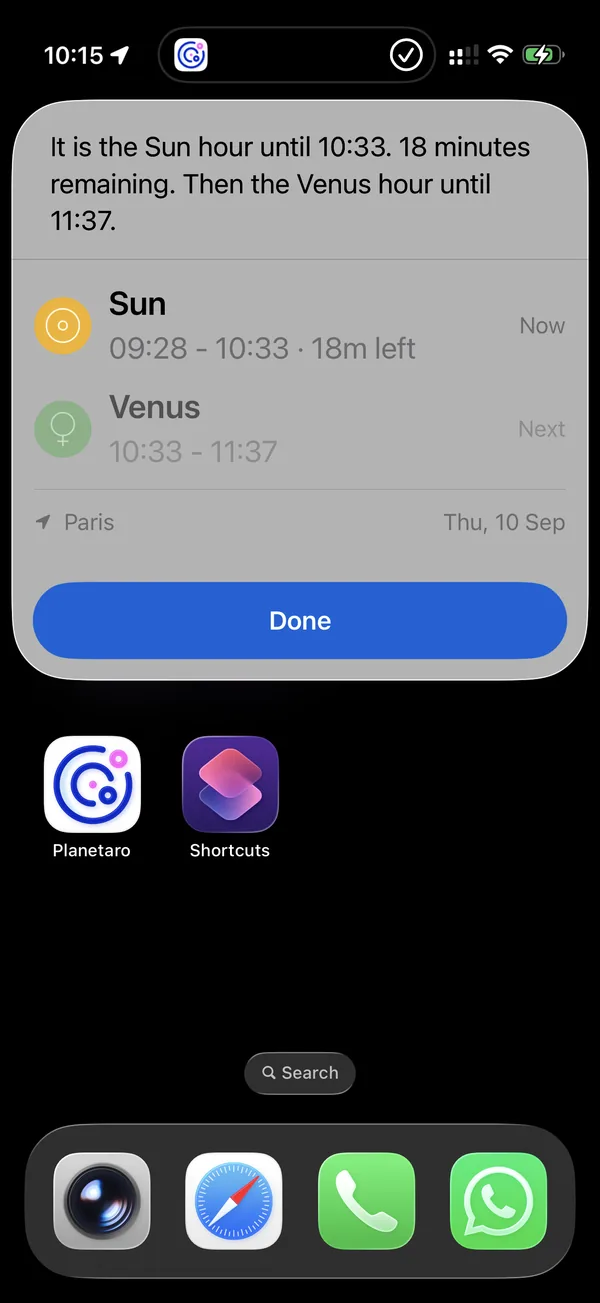
- The current planetary hour. "What's the current planetary hour in Planetaro". The answer names the ruling planet, when the hour ends, how much is left, and which planet comes next.
- The next hour of a planet. "When is the next Venus hour in Planetaro". Every planet rules at least three hours a day, so the answer is always today or tomorrow.
- The Moon phase. "What's the moon phase in Planetaro". The answer gives the phase, the illumination and the Moon's sign.
- Void of course. "Is the Moon void of course in Planetaro". While a void period is running, the answer says when it ends. Otherwise it says when the next one starts and how long it lasts.
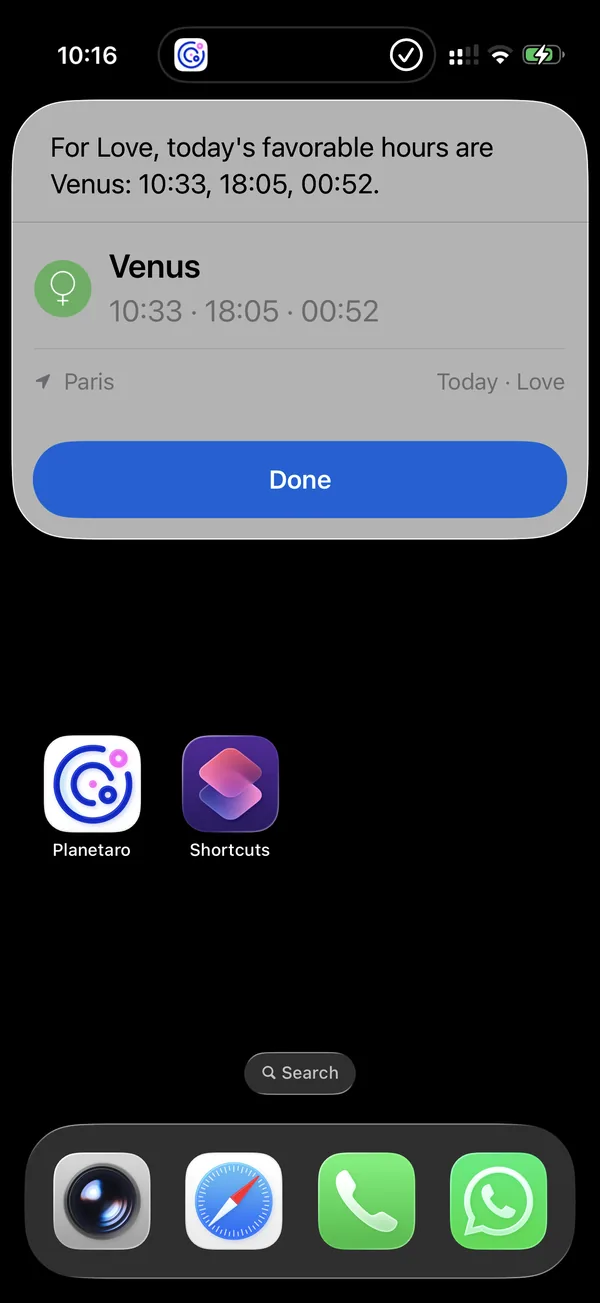
- The best hours for an activity. "When are the best hours for love in Planetaro". The activities are the same six as the Planner tab: love, career, money, focus, energy and family.
- The next moon phase. "When is the next full moon in Planetaro". Ask for a new moon, a quarter or a full moon, and the answer includes the Moon's sign at that moment.
- Sunrise and sunset. "What time is sunrise in Planetaro", for today or tomorrow.
Why do the example sentences end with "in Planetaro"?
Because that is the phrasing that always works. Siri answers some questions on its own: ask for the moon phase or sunrise without naming an app and it replies from its own weather data. Saying "in Planetaro" routes the question to the app. After that the wording is flexible: "what's the current planetary hour", "which planet rules this hour" and "current planetary hour" all reach the same answer.
Does Siri work in my language?
Yes. The Siri phrases and the answers are available in all ten languages Planetaro ships in: English, Turkish, German, Spanish, French, Japanese, Simplified Chinese, Arabic, Portuguese and Russian. Ask in the language your Siri speaks and the answer comes back in that language.
What does a Siri answer look like?
Every answer carries a card under the spoken reply, in the same visual language as the hours list in the app: the planet's coloured circle with its glyph, a title and a detail line. The current hour card shows the running hour and the one after it. The void of course card shows the sign the Moon is leaving and the one it enters. The sunrise and sunset card enlarges whichever you asked about. Each card notes the saved place it was calculated for.
Does Planetaro work with Shortcuts?
Yes. The same seven questions are available as actions in the Shortcuts app, so you can build them into automations: a shortcut that reads out the current planetary hour every morning, or one that checks the best career hours before you plan your day.
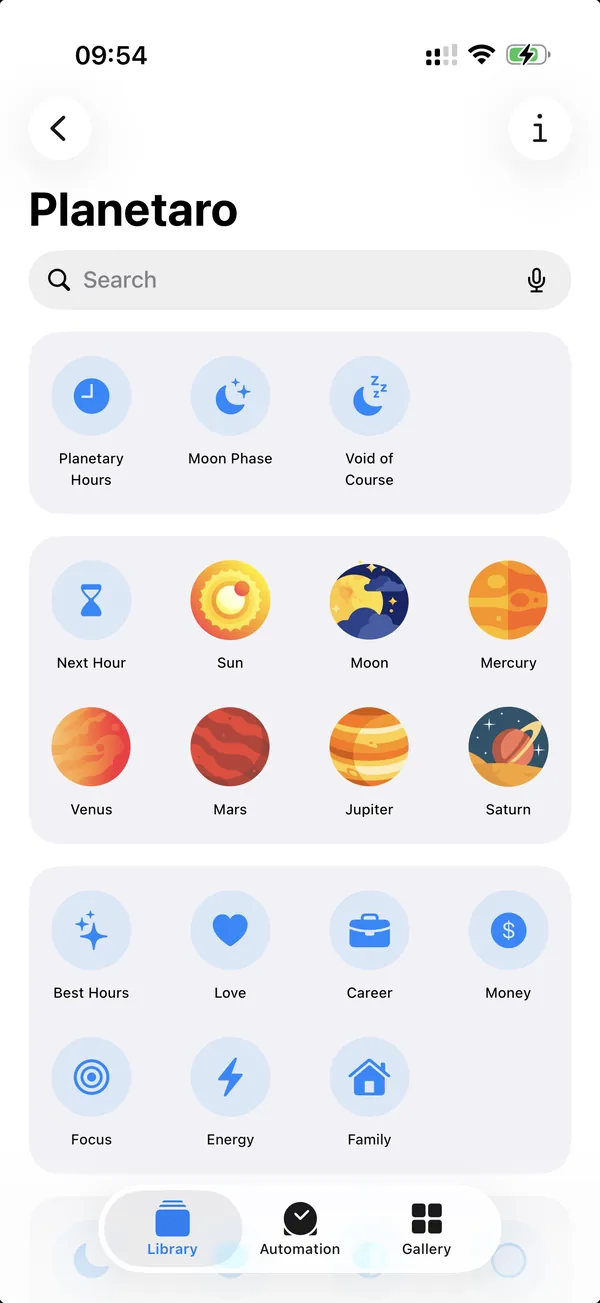
Planetaro adds 26 actions to the Shortcuts app in total, because the questions with a choice in them come pre-filled: one action per planet for the next hour, one per activity for the best hours, one per phase for the next moon phase, and sunrise and sunset on their own. The planet actions carry Planetaro's own coloured planet artwork, the same icons you see in the app.
Which iPhones and iOS versions does Planetaro support?
Planetaro 2026.5 requires iOS 17 or later. Planetaro supports the last four major iOS releases, which today means iOS 17, 18, 26 and 27.
If your iPhone runs iOS 16, which is the last version for the iPhone 8, iPhone 8 Plus and iPhone X, nothing is taken away. The App Store keeps offering the last compatible version of Planetaro for your device, and it keeps working. You simply stop receiving new releases.
Is Planetaro 2026.5 available on Android?
No. Planetaro 2026.5 is an iPhone and iPad release. Siri support is built on App Intents, an Apple framework with no Android equivalent. Android stays on Planetaro 2026.4 and continues to be updated on its own schedule.
Frequently Asked Questions
What can I ask Siri about planetary hours?
Planetaro 2026.5 answers seven kinds of question through Siri: the current planetary hour, the next hour of a specific planet, the current Moon phase and sign, whether the Moon is void of course, the best hours for love, career, money, focus, energy or family, the date of the next moon phase, and today's sunrise and sunset. An example is "What's the current planetary hour in Planetaro".
Why do I have to say "in Planetaro" when asking Siri?
Siri answers some questions from its own data, so "what's the moon phase" on its own may never reach the app. Saying "in Planetaro" routes the question to the app. After that the rest of the wording is flexible.
Does Siri work with Planetaro in languages other than English?
Yes. The Siri phrases are translated into all ten languages Planetaro ships in: English, Turkish, German, Spanish, French, Japanese, Simplified Chinese, Arabic, Portuguese and Russian.
Do I need iOS 27 to use Siri with Planetaro?
No. The Siri questions work from iOS 17 onwards. iOS 27's Siri understands natural language more freely, so you have more ways to phrase the same question, but Planetaro's Siri support does not require it.
Can I use Planetaro in Shortcuts and automations?
Yes. All seven questions are available as actions in the Shortcuts app and can be used in automations, for example a morning routine that reads out the day's planetary hour.
Which iOS version does Planetaro 2026.5 require?
Planetaro 2026.5 requires iOS 17 or later. Devices on iOS 16, such as the iPhone 8, iPhone 8 Plus and iPhone X, keep the last compatible version from the App Store and it keeps working.
Is Planetaro 2026.5 available on Android?
No. Planetaro 2026.5 is for iPhone and iPad only, because Siri support is built on App Intents, an Apple framework with no Android equivalent. Android stays on Planetaro 2026.4.
Does Siri send my location to Planetaro's servers?
No. Planetaro answers from the location you have already saved in the app, and everything is calculated on your device.
Download
Planetaro 2026.5 is available on the App Store. Android users can find the current release on Google Play.