
What's New in Planetaro 2026.2
Planetaro 2026.2 is packed with features we're truly excited about. The Moon screen has been completely redesigned with astronomical-grade accuracy, a new Zodiac section, Void of Course tracking, saved places, and refreshed widgets.
Here's everything that's new.
Planetaro 2026.2 is available now on the App Store and Google Play.
Widget Enhancements
Medium Moon Widget — Redesigned
The medium-sized Moon home screen widget now packs much more information:
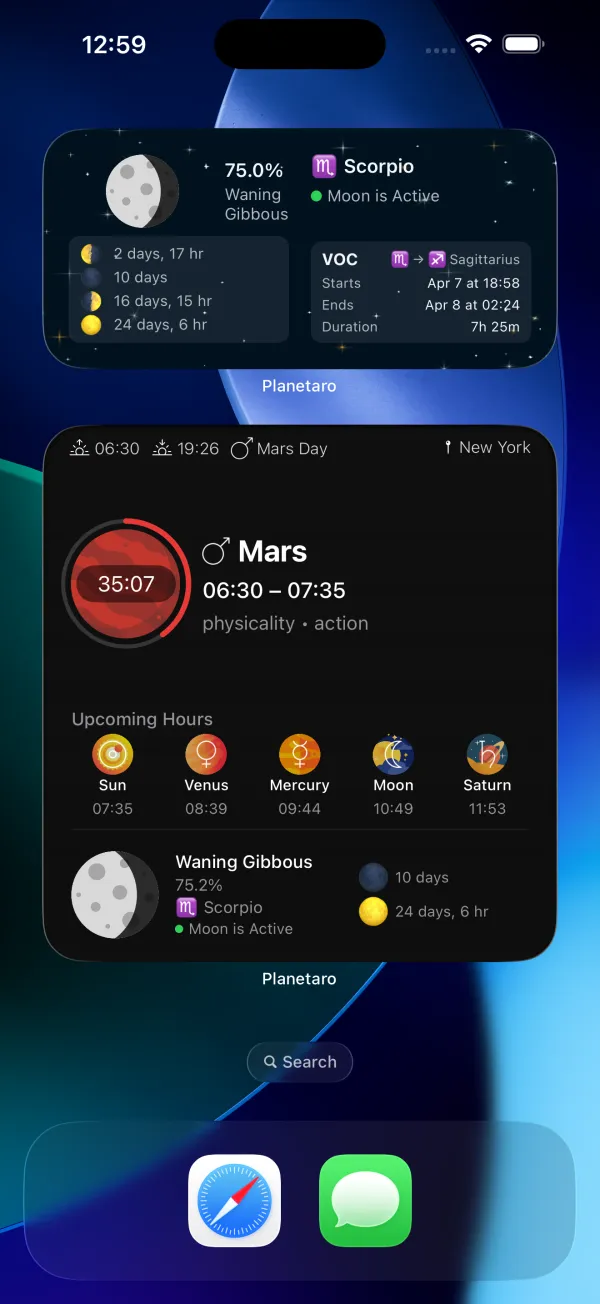
- Left side: Moon visual, illumination percentage, phase name, and four upcoming phase dates
- Right side: Current moon sign, VOC status (active/void), and next VOC transition details
Pro Widget Timer + Circular Progress
The Pro planetary hours widgets (Small, Medium, Large) now feature a countdown timer showing remaining time in the current planetary hour, a circular progress ring with planet-colored gradient, and a semi-transparent planet-colored background for better readability.
Better Battery Life
Widget update frequency has been optimized, conserving your battery while keeping data fresh.
Moon & Zodiac — Completely Redesigned
The Moon screen is now split into two powerful sections: Moon Phase at the top and Moon & Zodiac at the bottom.
Moon Phase shows the current phase, illumination percentage, and upcoming phase dates — Last Quarter, New Moon, First Quarter, and Full Moon — all calculated with a brand-new Moon Calculator built on Jean Meeus' Astronomical Algorithms. The old library had errors of 8+ hours on next full/new moon predictions. The new calculator has been verified against the Swiss Ephemeris with 1-2 minute precision.
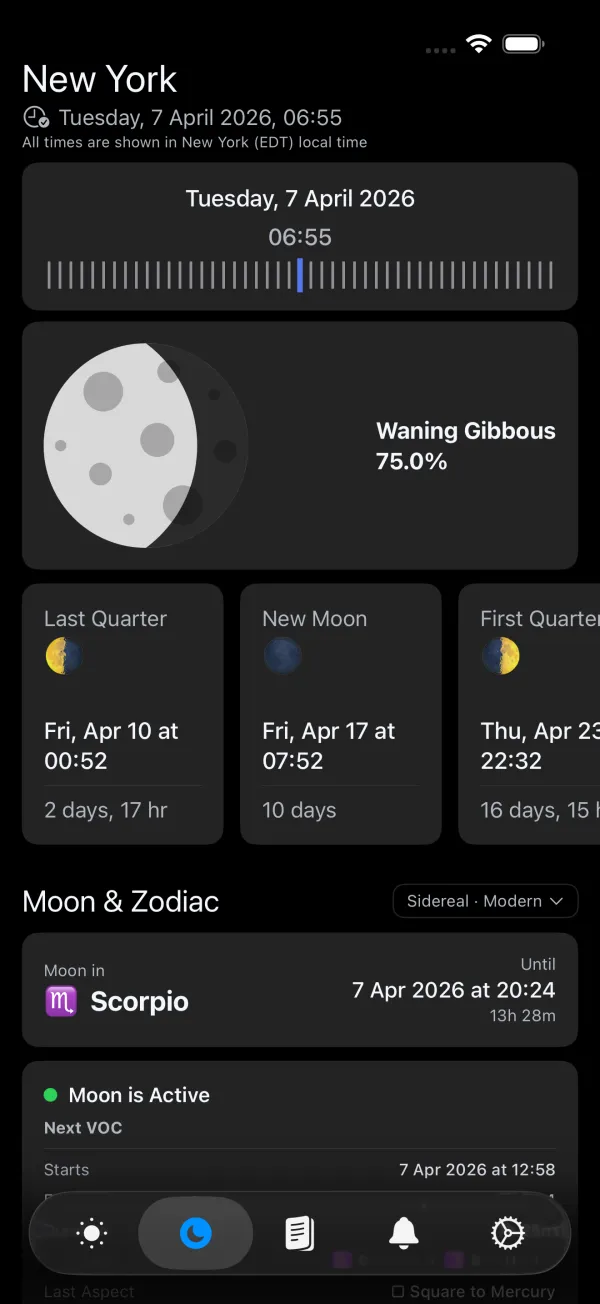
Moon & Zodiac shows your current Moon sign with the exact time it changes, Void of Course status with full details (start, end, duration, transition, last aspect, degree), and a list of upcoming VOC periods.
Zodiac Settings
Choose between two zodiac systems and two VOC calculation methods:
- Zodiac System: Tropical (Western) or Sidereal (Vedic, Lahiri ayanamsa)
- VOC Method: Traditional (7 classical planets) or Modern (10 planets including Uranus, Neptune, Pluto)
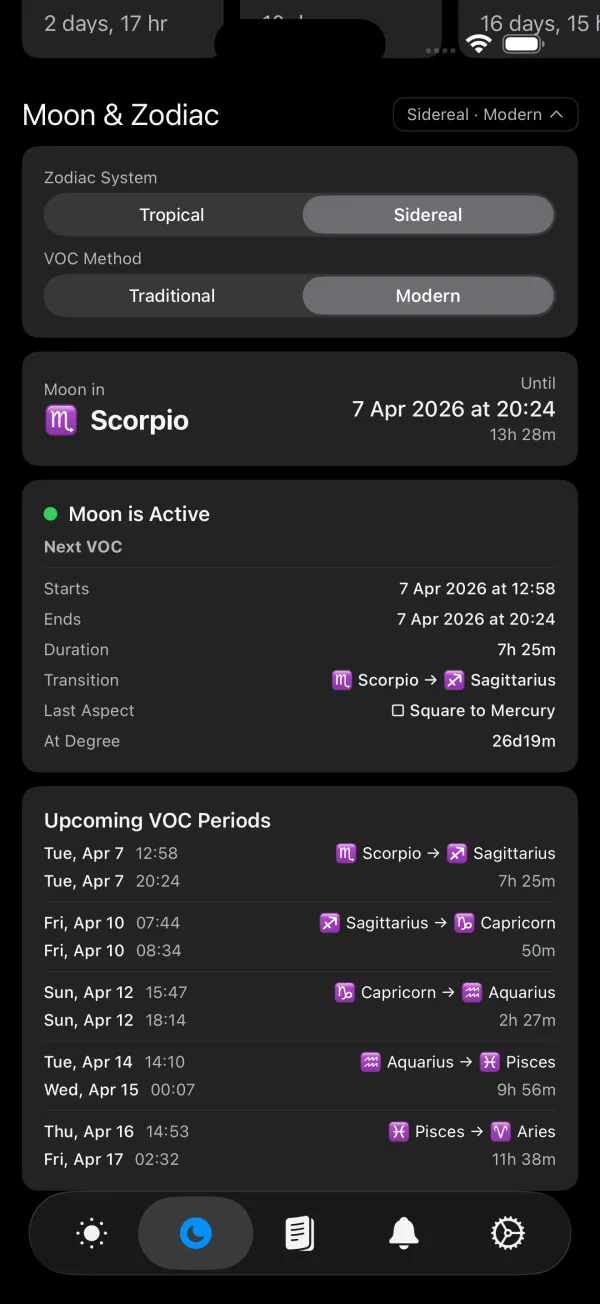
Your choice is saved and persists across app restarts, widgets, and the Watch app.
Saved Places
No more searching for the same city every time. Planetaro now automatically saves your recent locations and lets you organize them with favorites.
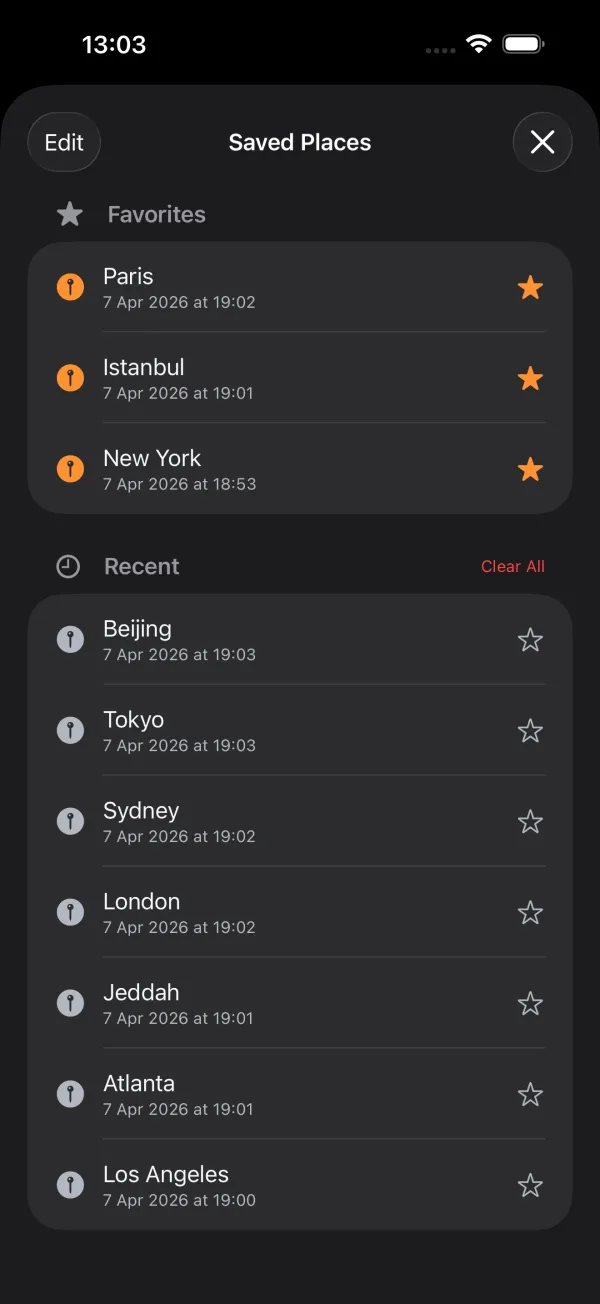
- Favorites — Star your most-used locations for instant access
- Recent — Automatically saved every time you select a location
- Swipe gestures — Swipe left to delete, swipe right to toggle favorite
- Clear All — Remove all recent locations at once
Single-Button Location Menu
The three separate location buttons on the main screen have been replaced with a single, clean menu:
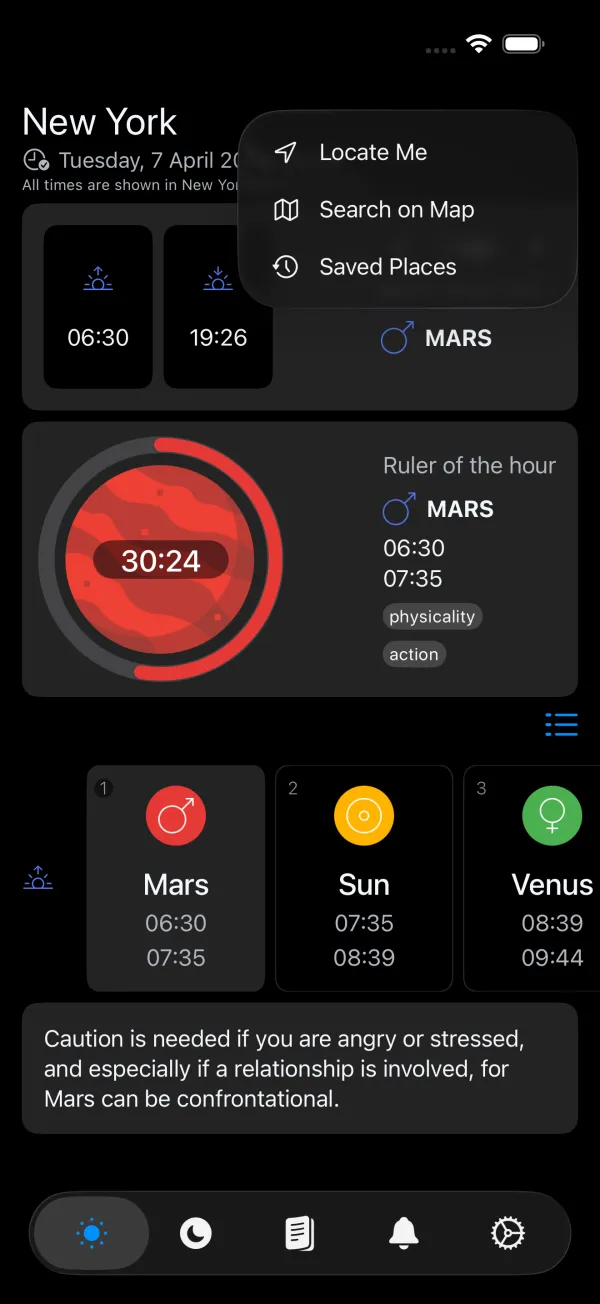
- Locate Me — Get planetary hours for your current location
- Search on Map — Find any city on the map
- Saved Places — Jump to your favorites and recent locations
Improved Accuracy
- Moon Calculator: Built from scratch using Jean Meeus' Astronomical Algorithms. Full and New Moon times are accurate to within 1-2 minutes of the Swiss Ephemeris.
- Illumination fix: The illumination percentage now displays correctly near full moon.
- Phase fallbacks: Robust error handling with safe fallbacks for edge-case calculations.
Localization
Two new languages have been added: French and Spanish, bringing the total to seven: English, Turkish, Arabic, Japanese, Chinese (Simplified), French, and Spanish.
All moon phase names, zodiac signs, VOC terms, aspect names, and UI elements are fully localized.
Download
Planetaro 2026.2 is available now on the App Store and Google Play.
Bug fixes and performance improvements included.